
 EDBi Support Web
[ Welcome | What's
New | FAQ | Bugs | Download ]

Bidata the software for Hivenotes and Queen breeding
Contents:

Product Summary
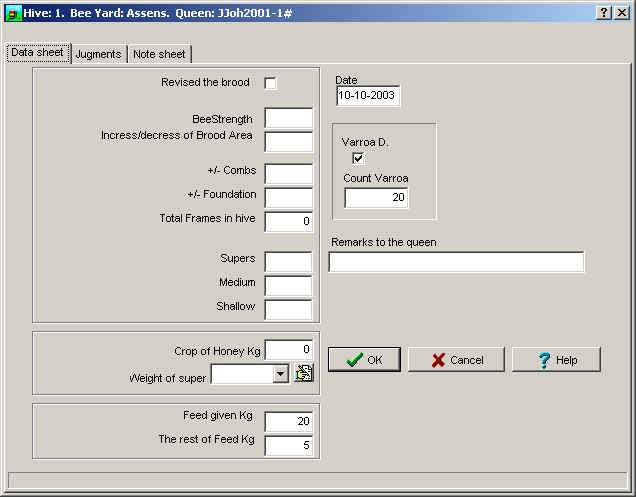
Bidata is a database containing records that can be seen as electronic Hive Notes containing data entered after visiting the beeyard.
The Bidata database can be seen as a card file with predefined index cards.
Each new bee year a new card file is generated. The card file is in two parts; daily hive notes, and calculated index cards.
The Bidata software is complex in its functions. Although considerable effort has gone into making the interface as simple as possible, it is strongly recommended that you read the manual in its entirety.
Some Features
 |
|
| Language support!
|
Specifications
- Platform
- Microsoft win98/NT/2000/XP
- Computer
- 386sx 40 MHz or better
- Hard disk
- 1 GB or more if you want to add pictures
- Screen
- at least 256 colors
Using very little system memory!
System requirements:
Bidata is developed for use on an IBM or IBM Compatible PC running Microsoft WindowsTM . The software might run on other computers but it is required that Microsoft WindowsTM is installed or that the platform is compatible with the Microsoft Windows TM platform.
It is recommended that the computer is provided with at least an Intel 386dx processor. An Intel 486dx 100 or better is preferable. Memory requirement is 4 Mb or better.
The software needs at least 15 Mb free hard disk space to install
Very few notes are needed!
This is the most important part of getting your program to perform to your requirements. A database program is only as useful as the quality of input data allows it to be! You must discipline yourself to input all the necessary data with care and accuracy. Get trained in Judging your bees on a very few points and you will go into success with your beekeeping. By the way it is not needed to make this judging every time you work with the bees, but do it at least three times to get the index as accurate as possible.
The data you judge from is the following :
Honey harvest. The more honey the better, but it also depends on the workload you need to put in to get it . Think about 6 hours work to get 45 kg of honey versus 10 hours work to get 60 kg of honey. I doubt that the extra 4 hours work is economically viable!
Aggressiveness: (important for your working conditions)
Swarm tendency (Important to avoid wasting time catching bees)
Steadiness: (important for the work needed to clear a frame of bees or to find the queen)
Sickness ( the less medicine you need the better honey you harvest and the workload goes down)
These are the most important items for the beekeeper to monitor, because all of those have influence on the workload, and thereby the economical result.
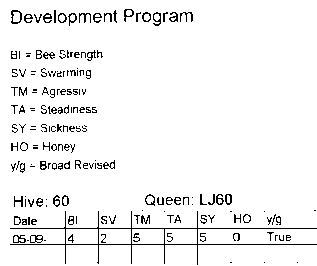
The Judgement is simply given by a scale from 1 to 5 except the judging of the Honey harvest, which is the real harvest in Kg.
The Judgement is entered into a field worklist, generated by the software, for easy entering into the Quick entry screen or for entering into the tabbed Notebook.
Graphic Show of data
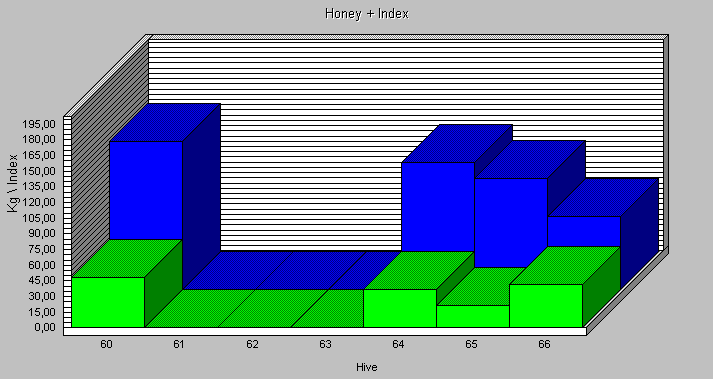
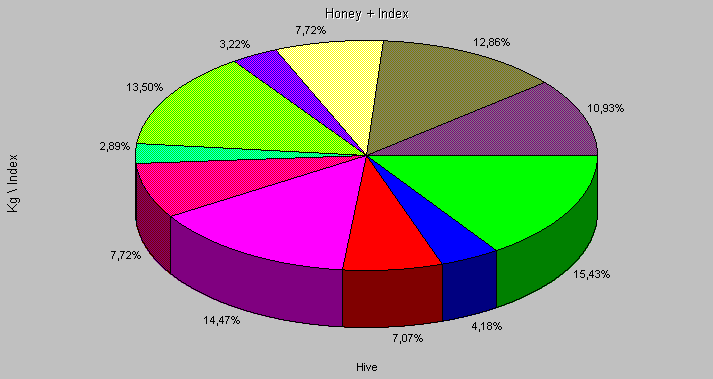
To make it easier to compare queens, there is a Graphic facility, used for showing various data in graphic format.
example of a graphic show Honey contrary IndexAnother Screen shot :
show of each beehives contribution to honey harvest in the apiary (Queen sisters)
Establishment Accounting for
Beekeeping
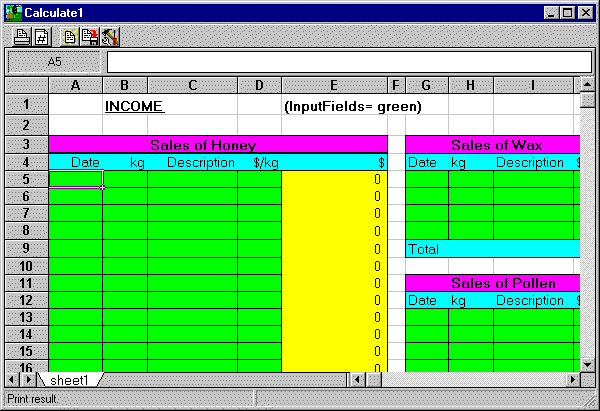
The spreadsheet can be saved as excel5 file and edited in excel if you prefer.
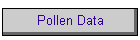
it is translated into the following languages : Danish, German,
English and you are free to load the English spreadsheet and translate
it into your language.The printout area is the resulting calculation.
Some Data is taken from the database and hardcoded into the Spreadsheet.
Those are :
1. Number of beefamilies in the database
2. Number of workHours
3. Total Honey harvest
.
Prices
Limited registration which
is 45€
You will get
| Normal hive entry facilities but limited to 40 bee populations. |
| limited support for the duration of one year. |
| 1 regular update of the software |
| electronic manual when the edition is finished. |
| You have to take the software as it is. |
| The software you get is what is offered to the members of the EDBi foundation as basic software! |
Full registration which is
100€
You will get:
| Printed Manual when the edition of this is finished, |
| Unlimited support and updates of the software within the duration of two years from the registration, |
| Access to all built in facilities, |
| Influence in the further development of the software, and |
| Unlimited number of bee colonies can be entered. |
| Even that this is a single user database (No network support) You can have more people using your PC , by creating more databases under the name of the users. |
Quick Entry Screen
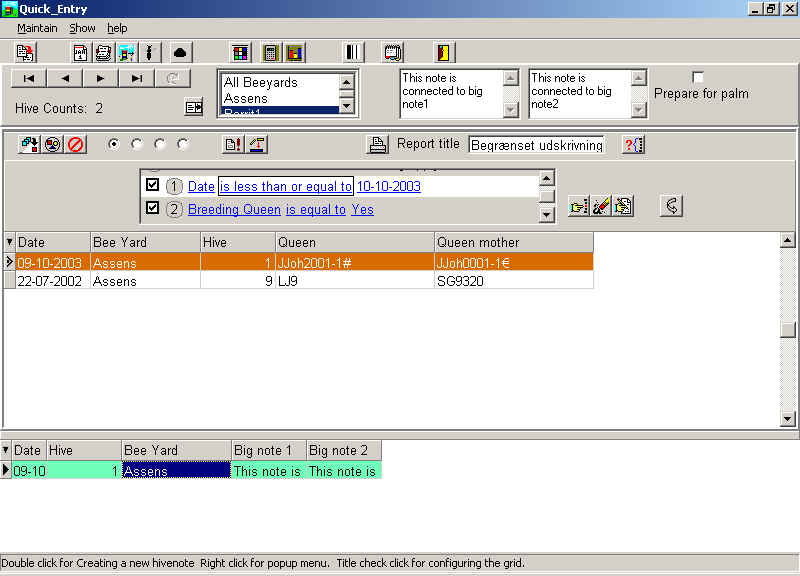
and below the new input screen